
Shimmer 1.0
Last week I shared Shimmer, my Moonlight client for the Mac. At the end of that post, I said PS5 support would probably be feature bloat, but I reconsidered and decided to add it, to make Shimmer the best all-in-one game streaming app for the Mac, which also happens to be open source.
So here's 1.0. These are the main changes:
- PS5 Remote Play over Takion v20, the same protocol version as Sony's latest official app
- Full DualSense support: haptics, adaptive triggers and light bar, wired and over Bluetooth, on both PS5 and Sunshine servers
- Quick switching between PS5 and PC
- A new Liquid Glass menu bar menu
- A custom Shimmer spinner for the menu bar

- Redesigned settings
- Less CPU at high bitrates
- Seamless Apple Game Mode support, which doubles the Bluetooth sampling rate for lower DualSense and AirPods latency (along with other wireless controllers and headphones)
- A built-in
shimmerctlCLI that gives agents full access to control and debug the client
Here's a demo streaming GTA 6 (1080p 30 FPS HDR at 100 Mbps over Ethernet) on a 5K 120 Hz Apple Studio Display XDR, powered by a base M5 MacBook Pro with 16GB of RAM.
PS5 Remote Play
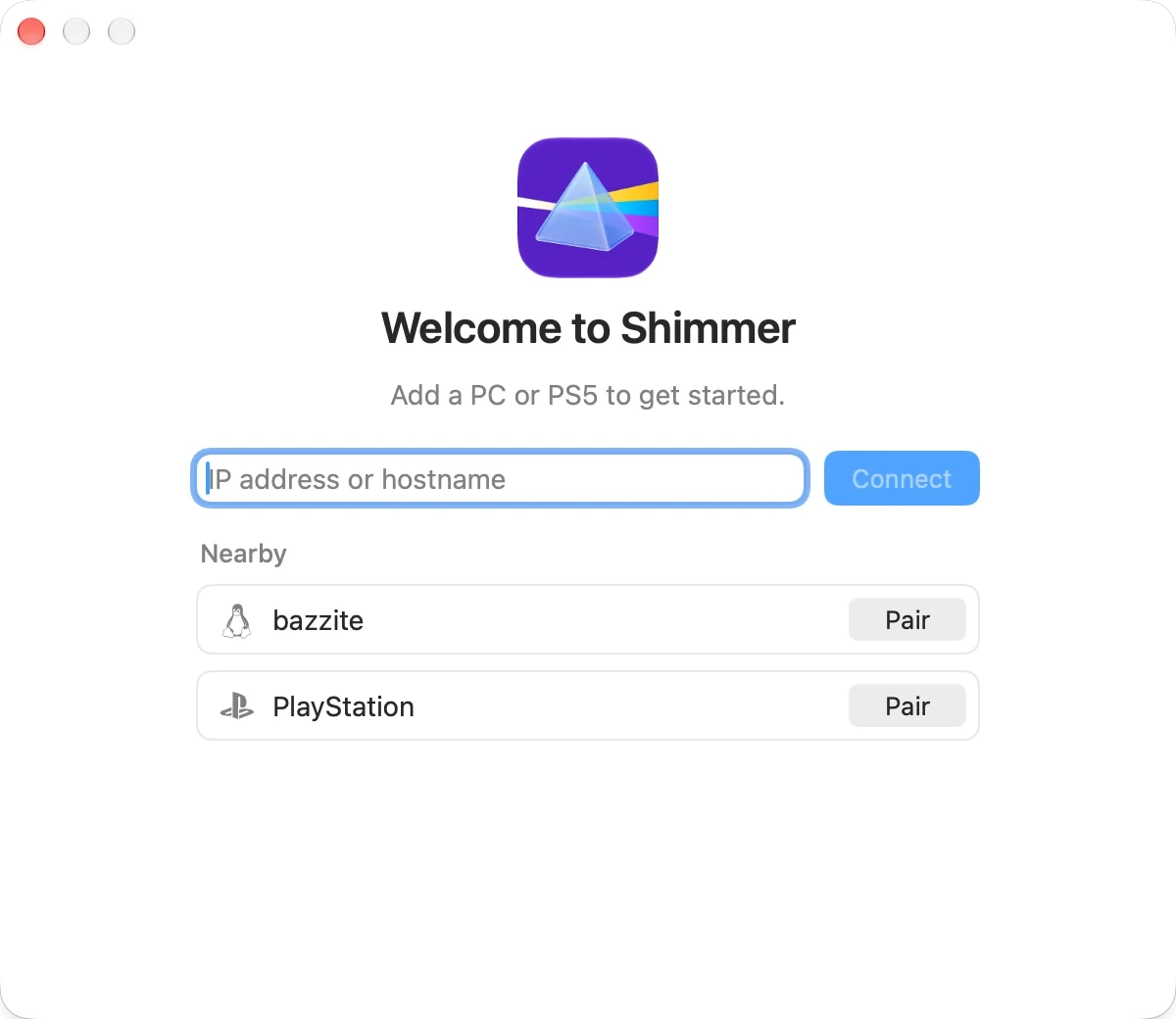
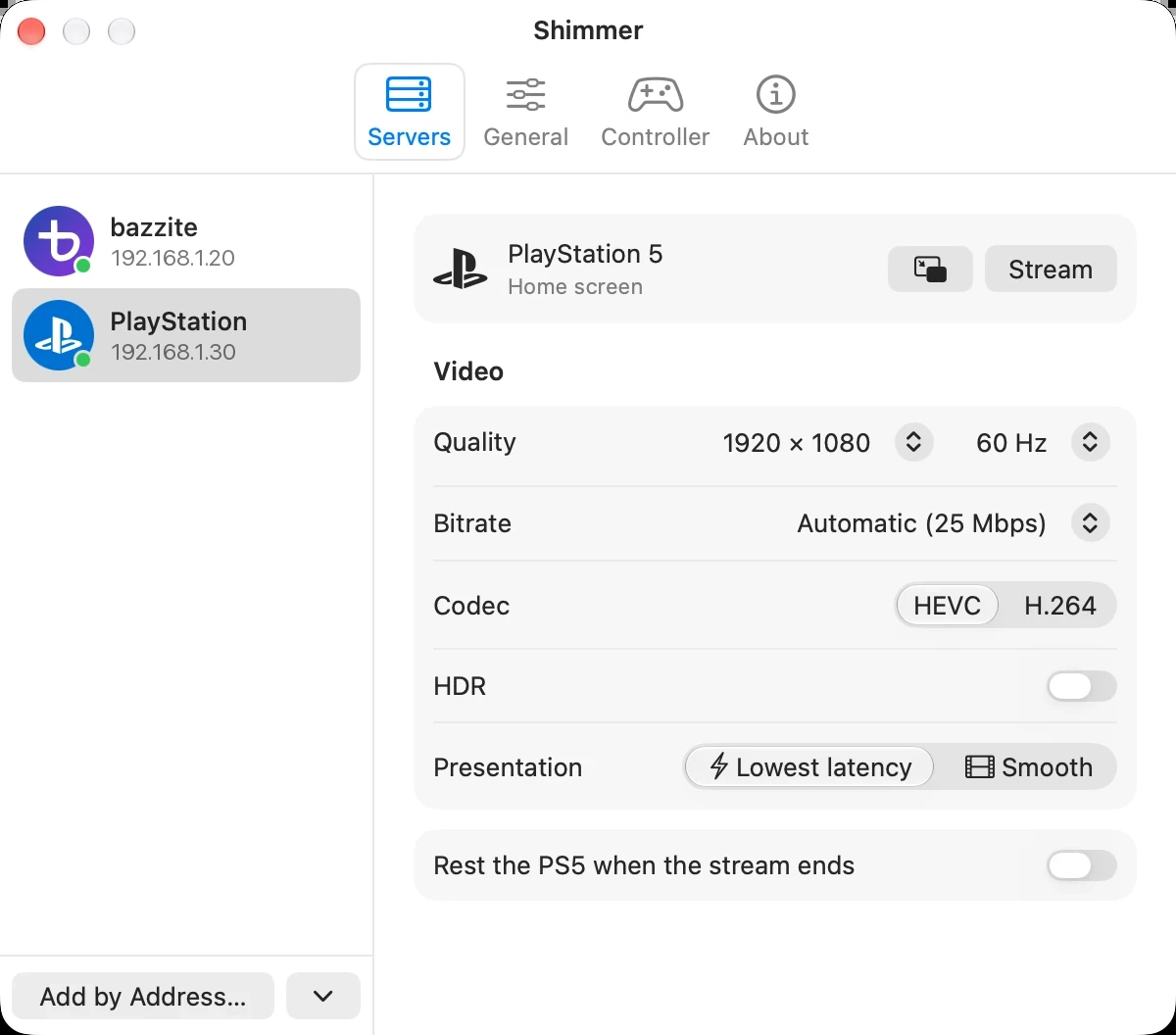
A PS5 on your network shows up under Nearby. Pair it once with a PlayStation Network sign-in and the code from Settings › System › Remote Play › Pair Device, then configure its streaming quality from the redesigned settings.
The menu bar menu
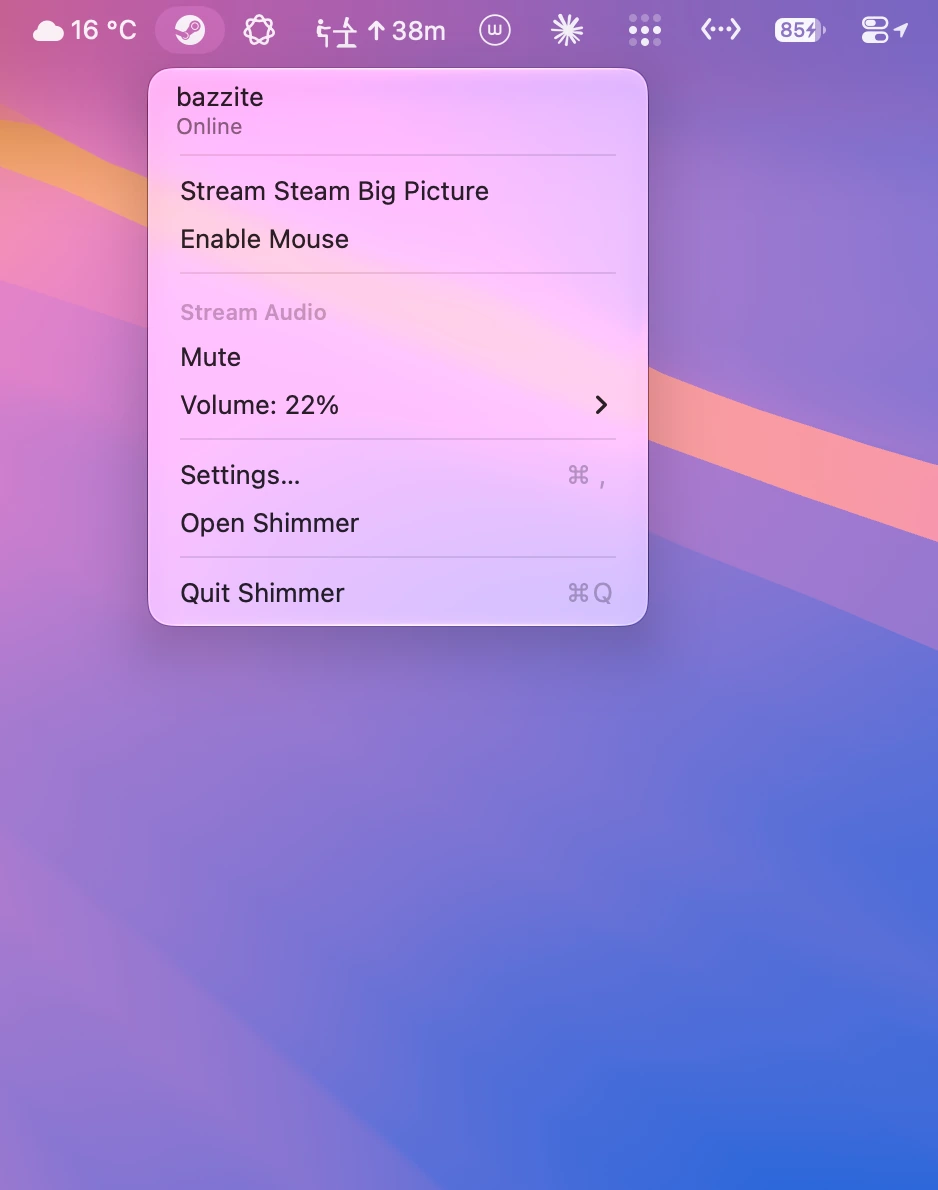
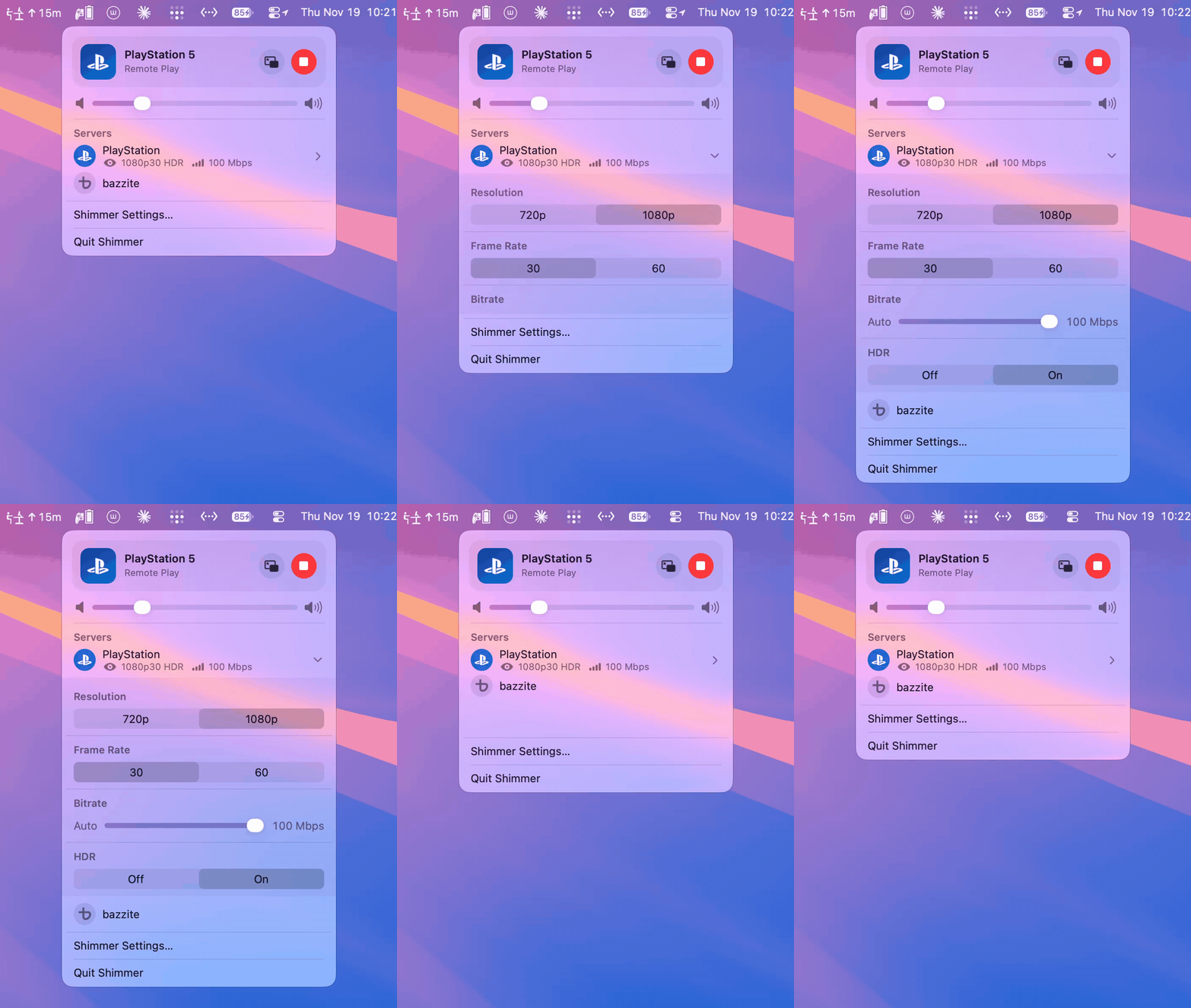
Here's the redesigned menu bar menu. Heavily inspired by Apple's AirPods and Now Playing menus, it puts starting and stopping the stream first, in a nice card at the top, and gives servers a dedicated section. Each server's resolution, frame rate, bitrate and HDR settings unfold right in place.
Remarks
Today is GTA 6's launch day, and the hype cannot be overstated: an estimated 1.5 million Americans are expected to skip work for it, potentially costing the US about $1 billion in lost productivity. I only got a little time to play this morning before finishing this post, but the game looks absolutely incredible, and definitely next-gen. If you're busy today, perhaps Shimmer can help you sneak in a bit of playtime with its built-in Picture in Picture mode, beautifully displayed in the corner of your screen.
Thanks
- Glimmer, which Shimmer is forked from (support its author)
- chiaki-ng, for PS5 Remote Play
- SAxense, DS5Dongle and P5M for Mac, for DualSense haptics over Bluetooth
Download
Download Shimmer 1.0 for macOS 26 or later on Apple silicon.